I- INVENTORIES MANAGEMENT:
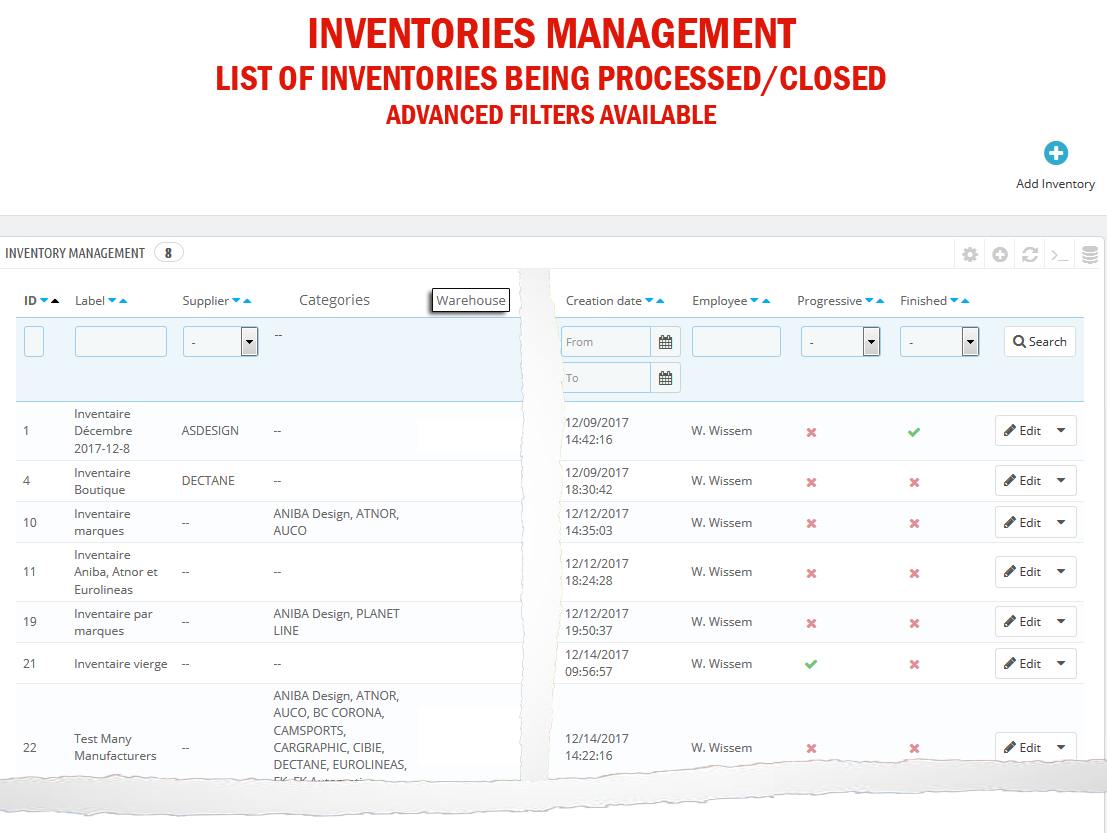
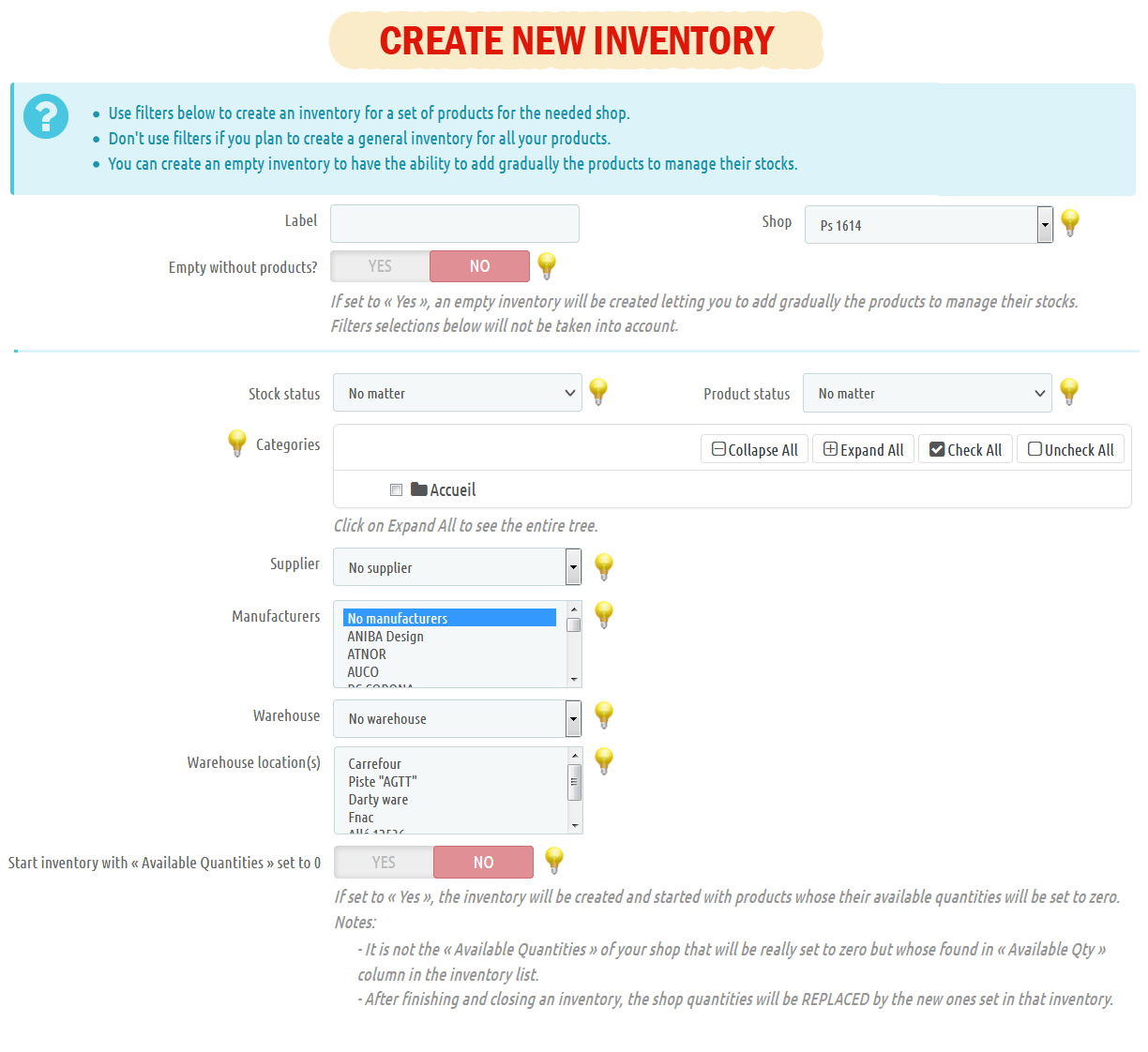
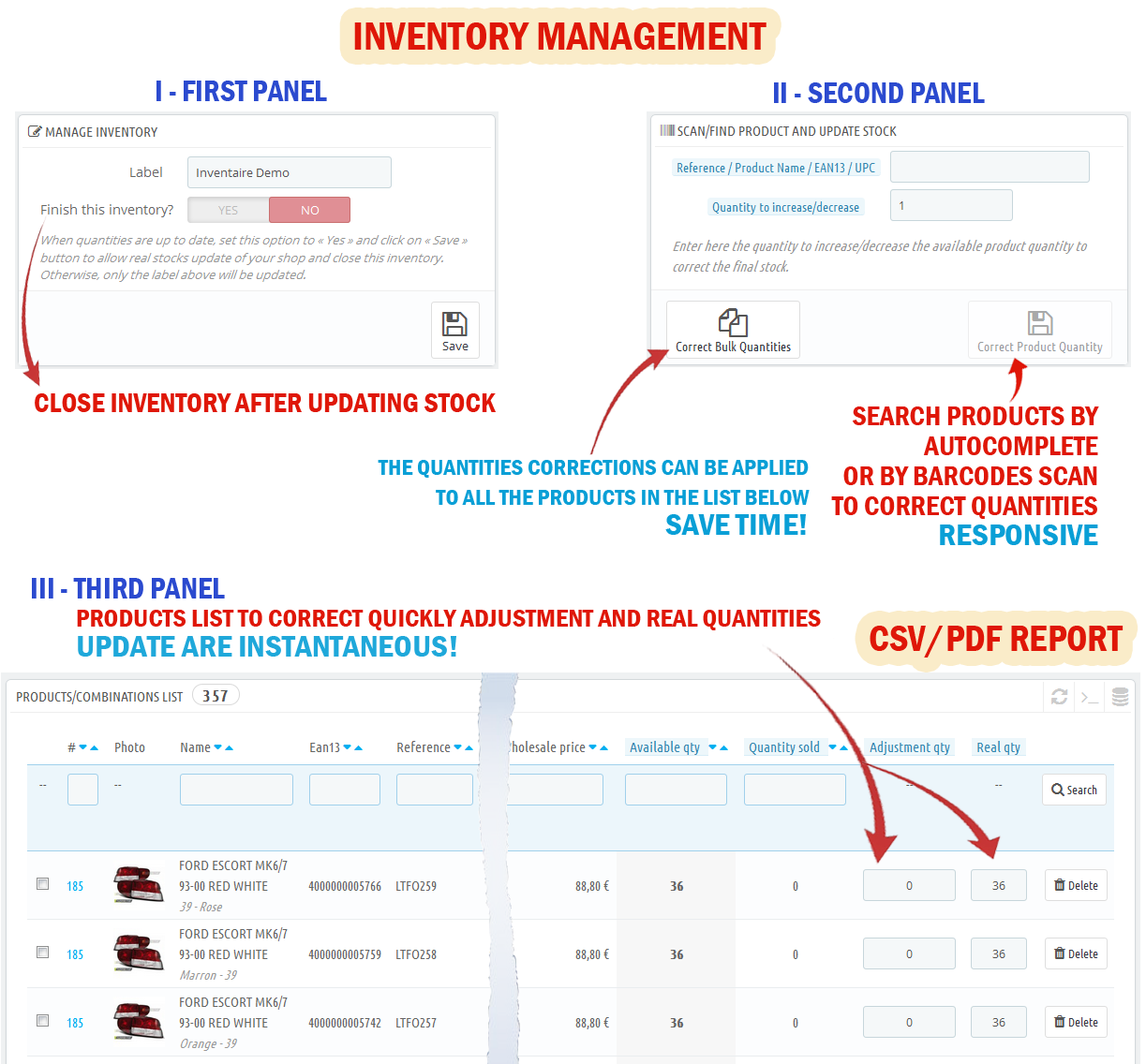
- There are different ways to create an inventory: Either for all products, or for a set of products or by creating at the beginning an empty inventory and then adding progressively products / combinations.Adjust / correct for each product / combination belonging to the inventory its final and real quantity in stock.
- Taking into account the sold (reserved) quantities if there are new customers' orders.
- You can see and control at one glance the available quantity (found in your Backoffice), the real quantity (found in your store or warehouse), the reserved quantity and the gap between the quantities.
- The quantities corrections can be applied in bulk to your products to facilitate the management.
- A search bar is available to facilitate searching for product / combination (manually with autocomplete search or by scanning barcodes using a shower device).
- Once your inventory products quantities are up to date, you can close it and update your shop.
- Export CSV / Generate PDF report for inventoried products with stock evaluation.
II- OTHER FEATURES:
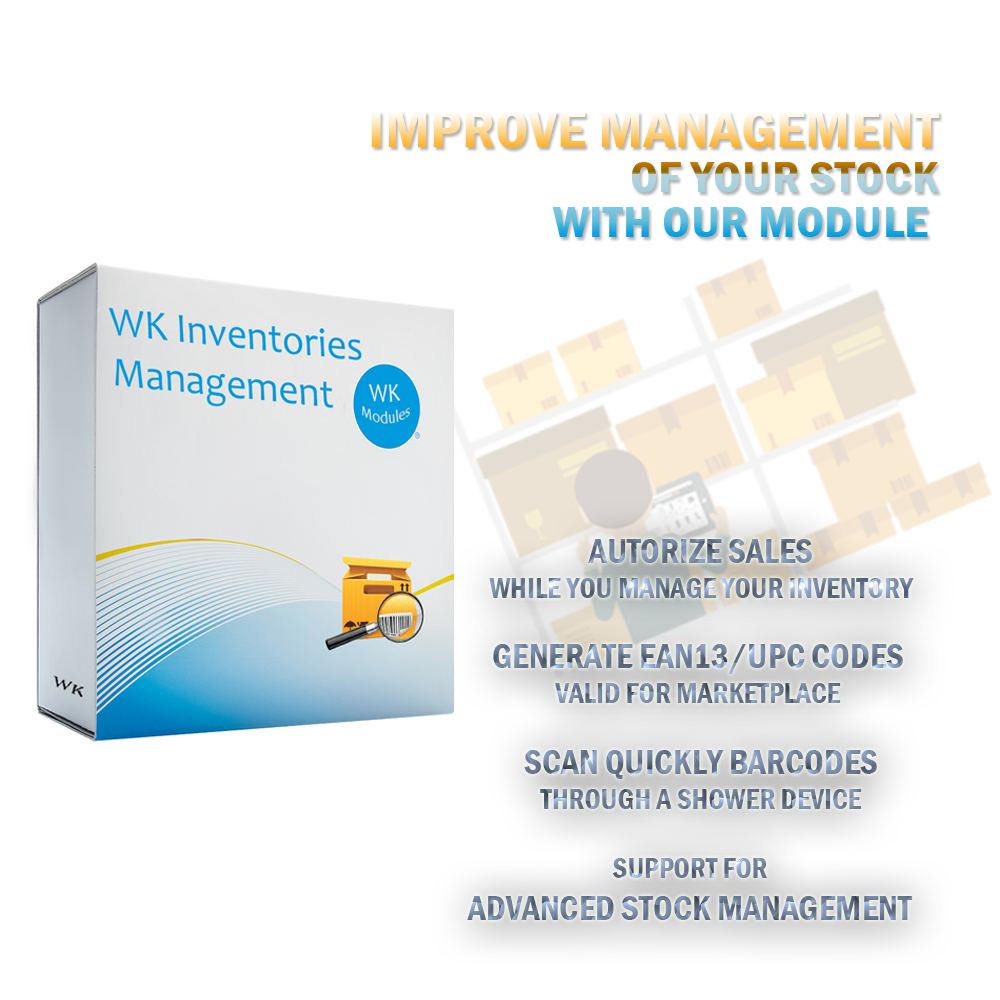
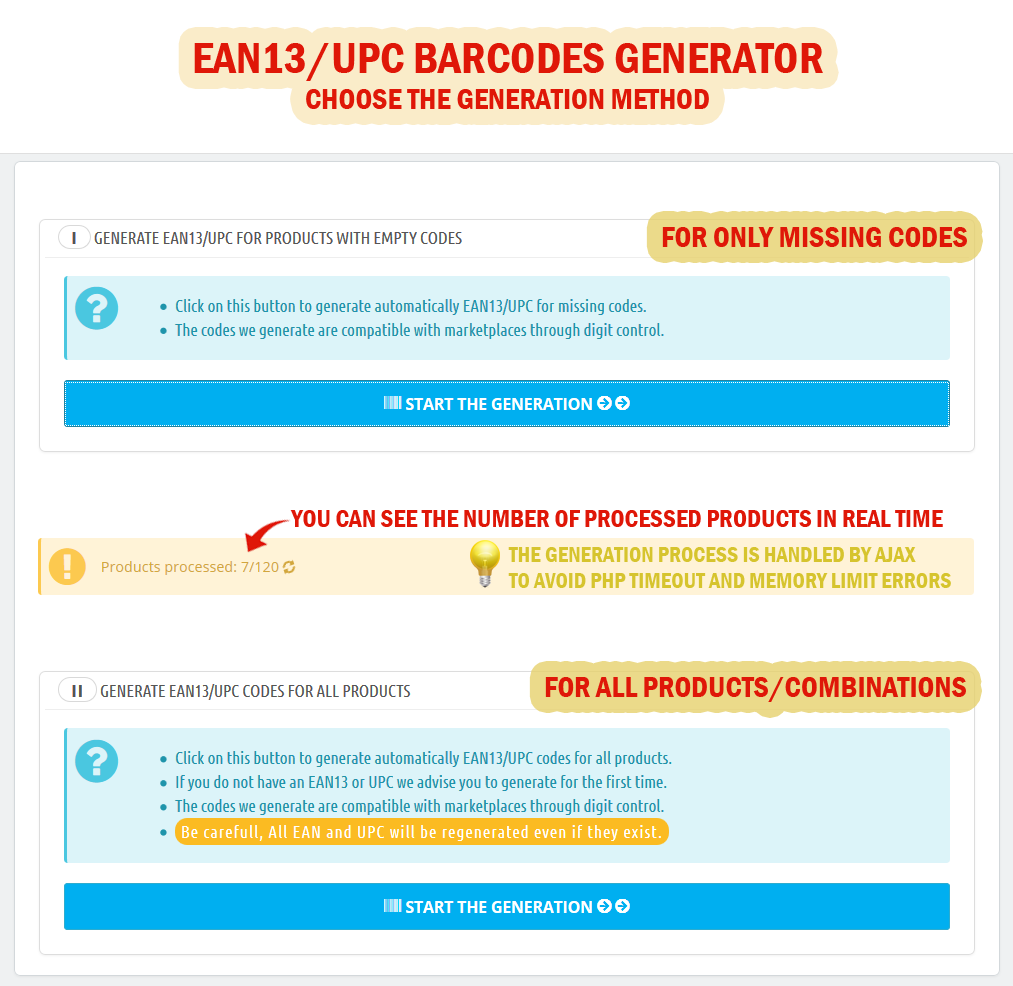
- Generate valid EAN13 and UPC codes for your products/combinations if you just need unique codes (for logistic reasons).
- Otherwise, the module allows you also to generate valid codes to marketplace that you have purchased from authorized companies.
- Reset in bulk codes.
- Save automatically EAN13 / UPC codes after each product/combination creation / update.
- Responsive design and compatible with small screens (convenient and useful when scanning barcodes in your warehouses or stores, it's faster, so, no need to have your computer close to you).
- Record the activities, errors or warnings generated by the module in a log.
- Multi-users (each employee manages his own inventories).
- Multi-shops.



Comments (0)
Your review appreciation cannot be sent
Report comment
Report sent
Your report cannot be sent